← All apps

Cellar
A native front end for Homebrew. Every button runs a real brew command, and shows you which one.
A native front end for Homebrew. Every button runs a real brew command, and shows you which one.
Inside Cellar
Captured from the current development build—not a concept render.
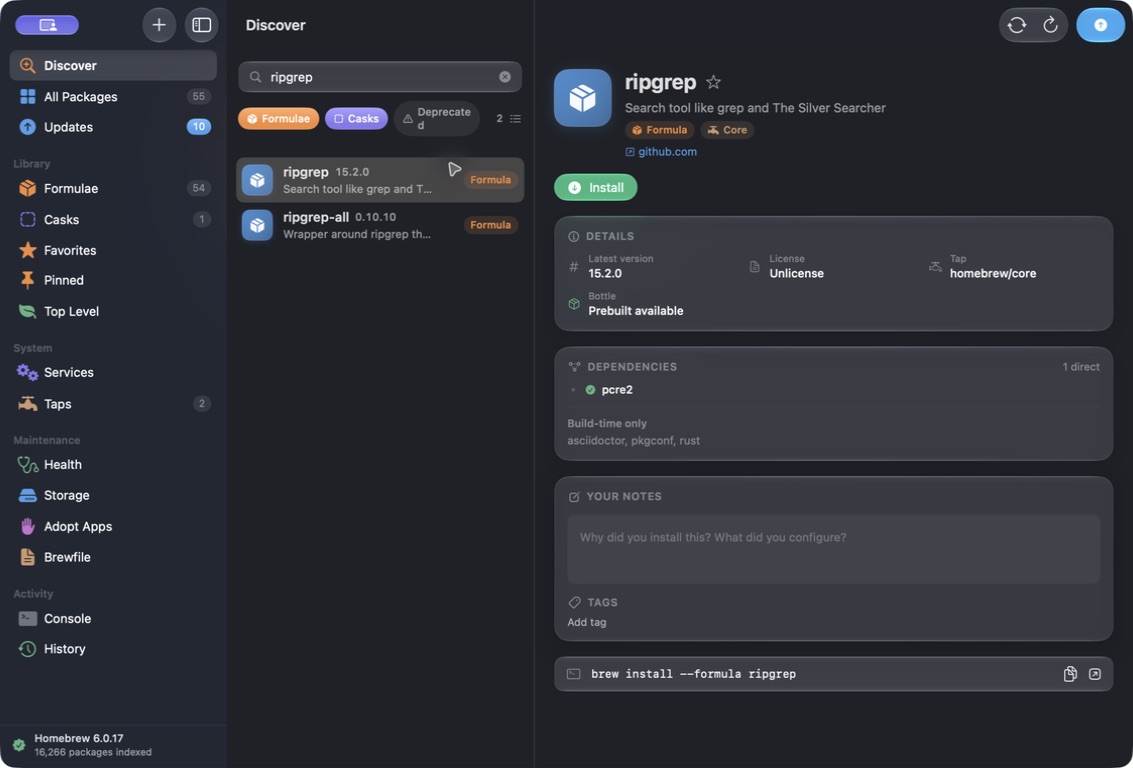
Search
One field over every formula, cask and third-party tap. The index is built from Homebrew's own JSON cache, so results appear as you type and keep working on a plane. Type a full tap path and Cellar offers to add the tap for you.
Interface preview · search results
Detail
Dependencies as an expandable tree, licence, disk usage, caveats, keg-only reasons, deprecation notices and conflicts. The tree is built from the in-memory catalogue rather than by spawning a process per node — the difference between instant and several minutes for something like ffmpeg.
Interface preview · dependency tree
Transparency
Whatever Cellar is about to do, it shows you the exact brew command first, with buttons to copy it or run it in Terminal instead. Nothing happens that you could not have typed yourself.
Interface preview · the command bar
Using Cellar
A practical walkthrough of the core workflow.
Under the hood
A GUI app inherits a minimal environment from launchd, and the tempting fix — quietly putting Homebrew's bin first on PATH — makes brew doctor report on an environment you never use. Cellar reads your login shell's PATH at launch and passes it through in your own order, so the warnings you see are the warnings you have.
Feature requests and bug reports are genuinely welcome — most of what these apps do came from someone pointing out that the alternative was annoying.